LA week 20 – Providing Your Own Hosting Service

This learning activity is to acquire your own hosting service. This hosting service will be needed throughout the rest of your studies, and this Learning Activity is therefore mandatory.You are free to choose any hosting service in the world. If you find it difficult to find one, we recommend one.com.If you choose one.com, the monthly fee is only 1,5 USD a month. (10 NOK), and there are step-by-step guidances to setting up the account, creating e-mail addresses, connecting via ftp etc.By acquiring the web hosting yourselves, you get (depending the hosting service):

  • Valuable training in providing hosting services
  • Domain name of your choosing
  • Personalised e-mail account with your own domain name
  • Cloud drive
  • A lot more space
  • 24/7 support
  • The service and domain name remains yours after your studies are done (if you wish to keep it)

Consider your domain name very carefully. This cannot be altered. (You can of course sign up for other domain names and delete the one you have, but “getting it right the first time” saves you a great deal of trouble.)Also note that it can take 24 hours for the hosting provider to complete the registration. In some cases, you may need to print out a document, sign it, scan it, and e-mail it back to the hosting company.

I ordered a domain through one.com, and chose a name I have been toying with for quite a while. Okibedoki.no. Not much to see there yet, but I am excited about what’s to come!

LA week 19 – Get the basics right – Part one

Part one
Explain the following terms in your own words: The Internet, HTML, Browser and Search engine

The internet:
The internet is a worldwide network of computers. Any device with an internet connection is part of this network, and its main purpose is sharing information.

HTML:
HTML stands for HyperText Markup Language, and is the universal language that is used on the internet to share information.

Browser:
You need a browser to use til the internet. A browser is basically an application that allows you to see the HTML documents that the internet consists of.

Search engine:
A search engine is a program that searches through the HTML documents of the internet for the key words you entered, and returns the result for you.

Photo by Pixabay on Pexels.com

Please research and add another 10 questions to the briefing process.(See the lesson.)

From this list of 20 questions (your 10 added to my 10), please create the ultimate list of 10 questions that you would use for clients.

1. What kind of visitors are you expecting on your website?
2. Who are your competitors and how do you differ from them?
3. What actions do you want visitors to take on the site?
4. What is your deadline for completing the site? How big is the budget?
5. What features should be used on your website? (This includes things like contact forms, pictures, videos, etc.)
6. Please list the names of three sites that you like and explain what you like about them.
7. Do you have any colour preferences? What should the look and feel for the website be?
8. Who will be the contact person for this project?
9. What do you NOT want on your site in terms of text, content, colour and graphic elements?
10. Who will be responsible for maintaining the website? Will the person have the time and skills to do so?

Please upload this activity to your WordPress blog.

My 10 questions:

  1. What do you want to be the first thing a visitor to your website notices?
  2. What is the main purpose of your business?
  3. How would you prefer for us to communicate? Via mail, Zoom, telephone or face to face?
  4. How much traffic/how many visitors do you expect for this website to accumulate?
  5. Do you have a brand style guide?
  6. Is your website gender-neutral, or more directed toward a certain gender?
  7. List three websites that you don’t like and explain why.
  8. Which parts of your website might change more often, and which parts stay mostly the same over time?
  9. Would you like to be part of building the website, or would you like to be delivered a finished product?
  10. Do you expect to need support from me later on, after the website has been finished, or will your company manage on your own?

The “ultimate list”

  1. What do you want to be the first thing a visitor to your website notices?
  2. What actions do you want visitors to take on the site?
  3. What features should be used on your website? (This includes things like contact forms, pictures, videos, etc.)
  4. What is the main purpose of your business?
  5. What is your deadline for completing the site? How big is the budget?
  6. Would you like to be part of building the website, or would you like to be delivered a finished product?
  7. What do you NOT want on your site in terms of text, content, colour and graphic elements?
  8. Do you expect to need support from me later on, after the website has been finished, or will your company manage on your own?
  9. Please list the names of three sites that you like and explain what you like about them.
  10. Who will be the contact person for this project?

LA week 19 – Get the basics right – Part two

Surf the web and find 10 sites you would consider to be great websites. Simultaneously, make a list of 10 sites you consider bad web sites. Remember to describe why you would define them as such. Upload your lists on your blog.

Photo by Miguel Á. Padriñán on Pexels.com

10 good websites:

NRK TV

Spar.no

Rema1000.no

Mariashudogfotterapi.no

Digipost.no

Ikea.no

Fhi.no

Momondo.no

HMVgruppa.no

Vy.no

To me, these websites are “good” because they are easy to navigate; you find what you need within a short space of time. Several of them use negative space and allows the viewer to “breath” around the content. Their menus are easily recognizable and logical. Ikea for instance, offers inspiration and easy access to everything they sell within just a few clicks or a quick search. Having their search engine easily available is a must for any larger website, in my opinion. It obviously also means that they need to have a good search engine. Fhi – folkehelseinstituttet has in my opinion a very nice looking website, very suiting their official nature.

10 not so good websites:

VG.no

Pinterest.com

Detsøteliv.no

Facebook.com

Alpino.no

cdon.no

Norwegianholidays.com

Footway.no

Brilleland.no

Skolelyst.no

A website that is too busy with too much information at first glance, is harder to navigate and more tiresome to look at. Although some of these websites are favorites of mine, does not mean I find them good, in a design perspective. Alpino has a more simple website, appropriate, but with too strong colors and not really logically built. Footway I have used many times, and though the products are great, the website is not good at all. It takes far too long to load, and their search engine is not very good.

LA week 12-13 – Print preparation

Q1 – Practical assignment (observation and analysis) 

Design your own printing checklist form. 

Q2 – Research, written and practical assignment (problem solving)

  • Design a simple dummy for at least 10- at most 20-page magazine style brochure combining dynamic typography and photography. You can use placeholder text for body copy. For your magazine, use a spot varnish for the cover and design it using two spot colours.
  • Make use of your checklist that you designed and prepare the file for print.
  • Decide what paper weight and type you will use. 
  • Decide what type of binding you will use, for example, saddle stich, perfect bind, etc. (See the printing terms link.)
  • Submit the print-ready file packaged from InDesign as well as a print-ready PDF.

Make sure to include the instructions (like spot varnish, paper choice and binding) in the file.

Q3 – Homework

  • Watch the videos provided below
  • Complete the LinkedIn Learning exercise files and submit it with your assignment

Resources:
All pictures in the dummy brochure comes from www.unsplash.com.
Page 1: http://Photo by Dušan Smetana on Unsplash
Page 2: http://Photo by Daiga Ellaby on Unsplash
http://Photo by Dušan Smetana on Unsplash
http://Photo by Irene Grace Tolentino on Unsplash
http://Photo by Peter Scholten on Unsplash
Page 3: http://Photo by Ying Wu on Unsplash
Page 4: http://Photo by Rad Pozniakov on Unsplash
http://Photo by Tobias Rehbein on Unsplash
http://Photo by topcools tee on Unsplash
http://Photo by Lady Bugz on Unsplash
Page 5: http://Photo by Andrew Pons on Unsplash
http://Photo by Sonny Ravesteijn on Unsplash
Page 6: http://Photo by Chris Unger on Unsplash
Page 7: http://Photo by Diego Guzmán on Unsplash
Page 8: http://Photo by Larry Clarkin on Unsplash
http://Photo by Laura Cros on Unsplash
Page 9: http://Photo by Sian Cooper on Unsplash
http://Photo by Cynthia De Luna on Unsplash
Page 10: http://Photo by Etienne Assenheimer on Unsplash

MA03 – Layout

Well, hello corona and stressful times. Boy, do I appreciate being an online student, it truly could not have worked out better. But with homeschooling kids and also working part time from home, this was somewhat stressful. Anyway…

I learned so much. I know, I say that every week, every LA, every MA, but this time I really, REALLY mean it! Just wow!

My booklet on eggs looks like this. If you want to see the whole thing, there’s a link at the bottom. Check it out!

La week 10-11 – Design of Layout in InDesign (5)

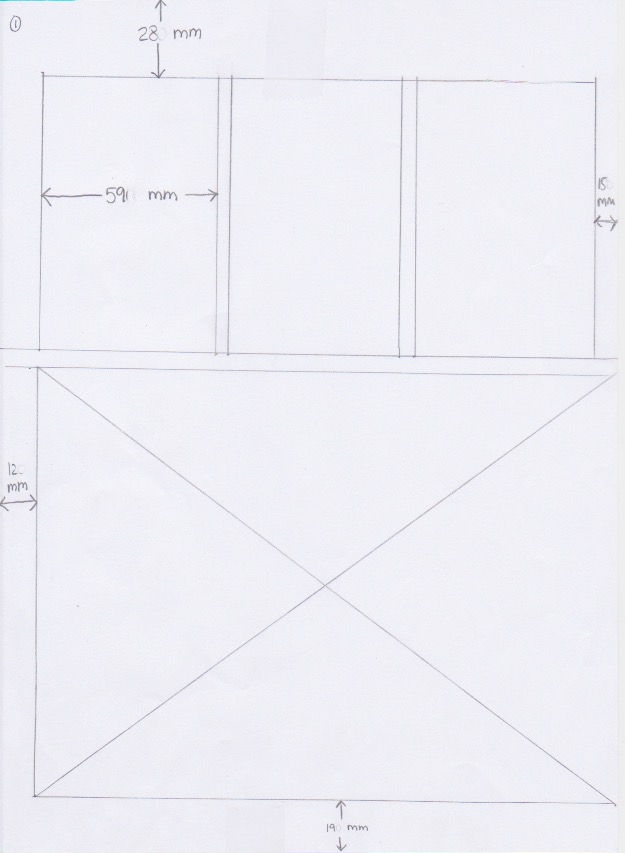
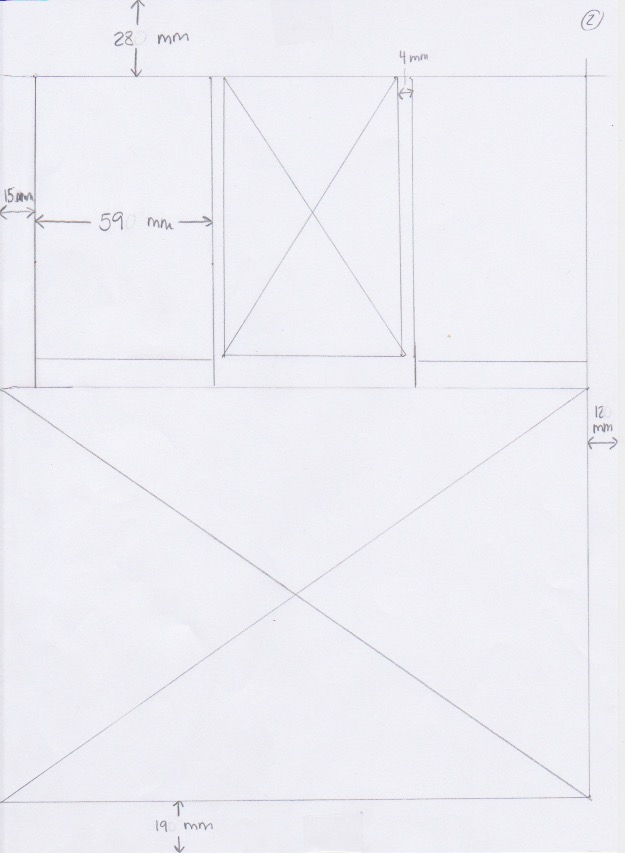
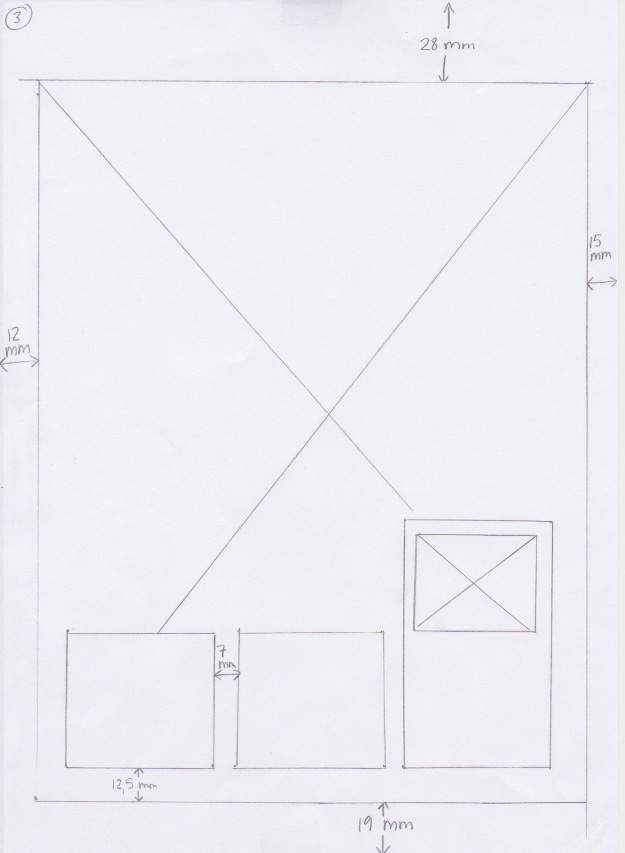
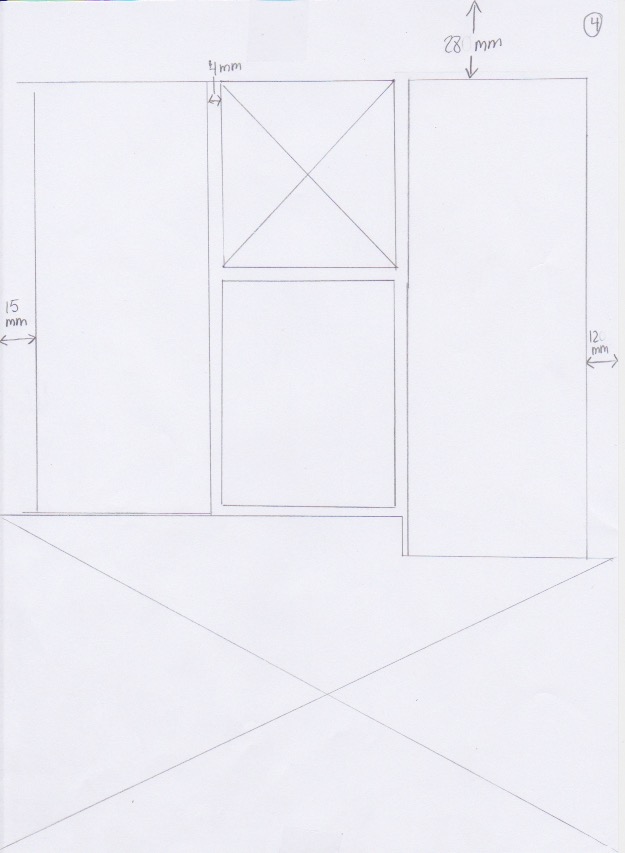
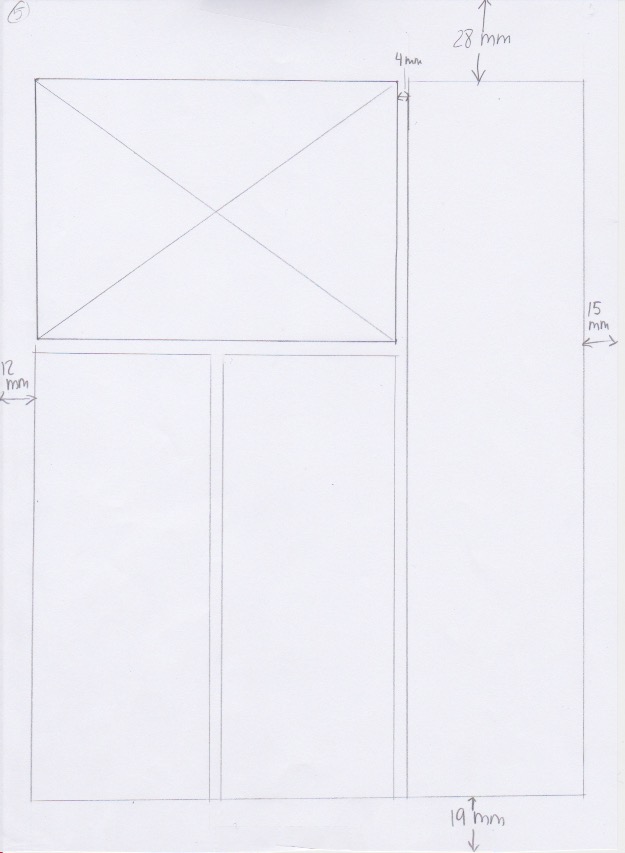
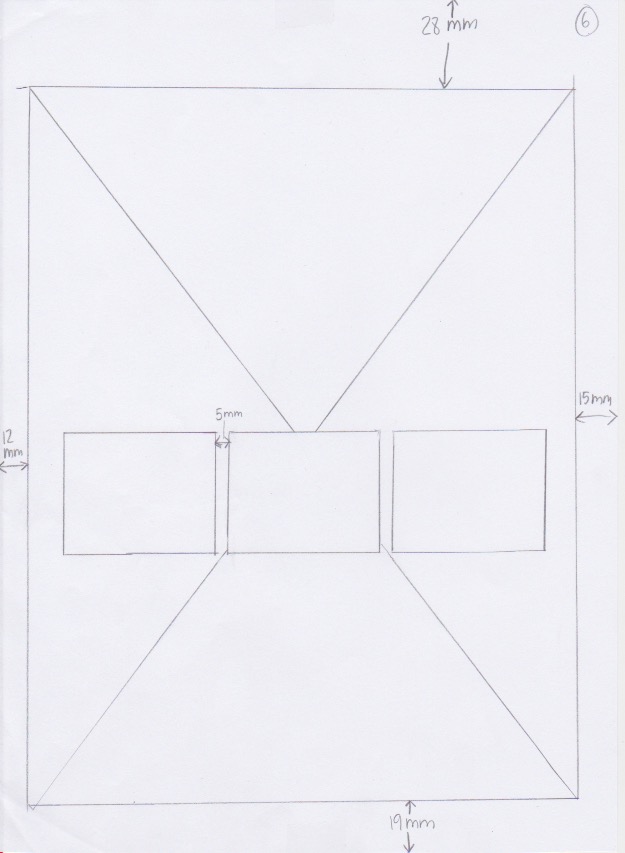
Using InDesign, design a 4-page brochure for a fictitious travel agent.

  • The size of the brochure should be A5 (when it is folded).
  • Design the brochure in full colour.
  • Use fake body copy, but create sensible headings.
  • Use titles, headings and images of your choice.
  • Be sure to pay attention to:
  • Choice of type
  • Choice of imagery
  • Use of layout and grid to communicate the content
Front of brochure (page 1)
Back of brochure (page 4)

Resources:
https://www.boredpanda.com/we-went-on-a-winter-camping-trip-to-norway-to-photograph-the-northern-lights-what-we-saw-we-wont-never-forget/?media_id=aurora-reflections-9-57e5796409856__880

http://Av Ximonic (Simo Räsänen) – Eget verk, CC BY-SA 3.0, https://commons.wikimedia.org/w/index.php?curid=23236338

https://www.flickr.com/photos/31779113@N06/45284922481

https://ut.no/turforslag/1113746/med-kye-og-kajakk

https://no.pinterest.com/pin/559783428666617731/

LA week 10-11 – Pace and Contrast (4)

pp. 48 – 51 of A Foundation Course for Graphic Designers Working in Print, Moving Image and Digital Media.

Compare the design (in terms of pace and contrast) of an online magazine, blog or website to that of a printed magazine, book or journal.

  • What differences can you see between the kinds of design strategies used in the two formats?
  • Write down your findings and upload it to WordPress.

In a magazine you may use the size of the page in a different way. While an online magazine must fit different size screens, a physical magazine can use the full size, play with it and defy the rules. Pictures and illustrations may be used over double spreads, a picture may disappear partly over the edge. There are numerous ways of exploring and using the size of the paper itself. Also a printed magazine have the paper quality to build on. Thicker paper or higher paper quality may suggest a more exclusive magazine.

An online magazine have more options as to how to display the information. They may use less text in front, and have links to articles or more information on each subject. This possibly makes it even more important to grab the readers attention. It’s very easy to just scroll down a website and not really read anything, only visually observing the pictures and words, not really reading. Which I think many online magazine know and use. There cannot be too much text if you want to keep the readers attention.

LA week 10-11 – Basic Principles of Layout (3)

  • Take a magazine, newspaper or book that includes images and text. Lay tracing paper over the top of three spreads (both left-hand and right-hand pages). Using a pencil and ruler, carefully trace the grid underlying the page layouts. Remember to remove specific text elements or images, and to only draw the grid lines. Note column widths and margin sizes at the top, bottom, and to the left and right of the main body of text. Is your document based on a two-column, three-column, or another type of grid? Which elements stay the same on each page, and which change?
  • Publish your findings to your WordPress blog and provide photos or scans of your exercise.

I used the “Illustrert Vitenskap” magazine for this task. They use a three-column grid throughout the magazine, and even when pictures go over several columns it’s easy to see the grid that they use. The elements move around, but the column widths stay the same all over, as does the margins.

LA week 10-11 – Symmetry/Asymmetry (2)

In this assignment, you will be given the opportunity to also test your idea sketching skills. It is important to start working with basic ideas on paper and develop your concept from there on out.

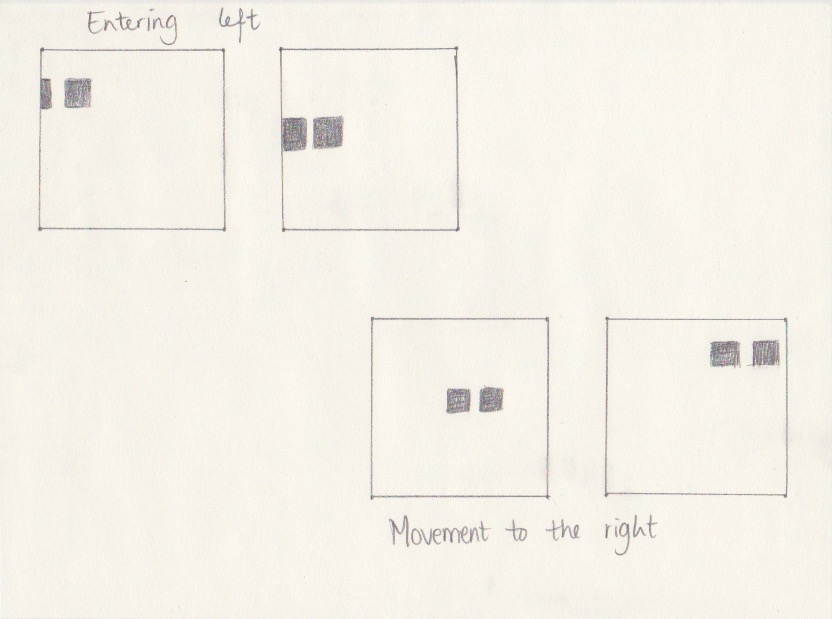
  • On an A4 landscape page, draw four equal squares. Create 4 more pages in this way. So, you’ll have 5 pages with four squares on each.
  • Draw one or two squares or rectangles in each empty square to achieve the following visual effects (refer to your textbook, p.41 as guidance). You can work with the interaction of rectangles and squares to make the balance or imbalance more evident.
  • Entering left
  • Movement to the right
  • Movement to the left
  • Movement downwards
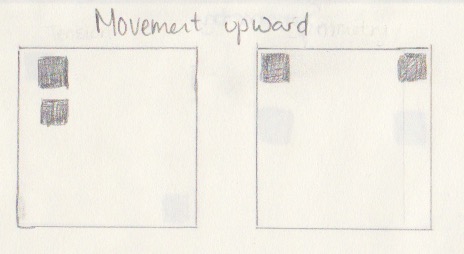
  • Movement upwards
  • Balance
  • Tension
  • Symmetry/asymmetry

Produce at least two different versions of each effect, recording your results each time. Explain in one or two sentences what you wanted to achieve (as shown in your manual).

  • Submit your drawings and findings at WordPress.

Entering left
I wanted to show the entering by only half a square in the first example. In the second example I wanted to depict the movement by placing the squares close to the edge.

Movement to the right
In the first example I had the first square in the middle, and the second towards the right. The second example shows both squares on the right side.

Movement to the left
Both examples shows two squares towards the left side.

Movement downward
Both examples shows two squares moving downwards. In the first example they start out close to the middle of the square.

Movement upward
The first example shows two squares moving up “behind each other”, the second one has two squares both close to the top.

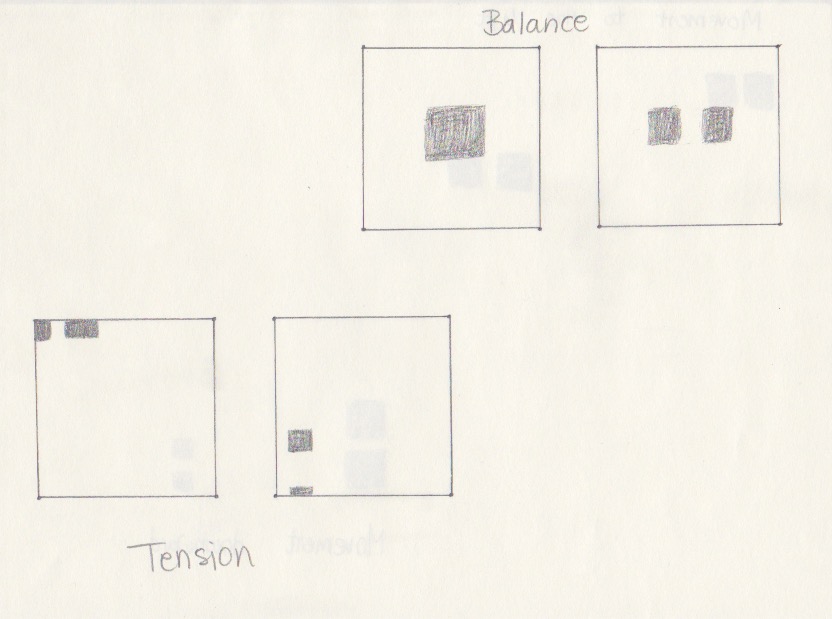
Balance
The first example has one square placed in the middle. The second example has two squares placed equally far from the middle and the edges.

Tension
In the first example I hoped to show tension by showing only 1/4 and 1/2 of a square. The second example shows on the two squares on the way out of the larger square.

Symmetry
The first example shows the two squares equally spaced from the edge, close to the middle. The second example has the two smaller squares placed in opposite corners.

Asymmetry
The first example shows two squares not aligned. The second example has one square alone towards one side.

Resources:
Graphic Design School – the principles and practice of graphic design – Dabner, Calvert and Casey, 4th edition

LA week 10-11 – Form and Space (1)

  • Rearrange shapes cut out of paper, and try to find the point at which the figure disappears into the ground.
    • Cut out a series of shapes from black paper – squares, rectangles, circles and random shapes – in a variety of sizes, from small to large.
    • Working with a square piece of white paper, place shapes of different sizes into the white space; place them on the white one at a time and move them around.
    • Try to find the point where the distinction between figure and ground becomes unclear. Does it depend on which shape dominates the space: black or white? Is it about the position of the shape within the space? Think about how important figure-ground relationships are within composition and design.
  • Write down your findings, and remember to take pictures of your progress. Submit these pictures and your write-up on your WordPress blog.

The distinction between figure and ground I feel disappears in a few settings. When there are approximately the same amount of black and white in the picture, and when there are clear lines and the law of closure comes to work. The bottom two pieces I feel are the best examples for the work I did.

Resources:
Graphic Design School – the principles and practice of graphic design – Dabner, Calvert and Casey, 4th edition

Design a site like this with WordPress.com
Get started